 Clement Lefebvre
38275a77ec
Clement Lefebvre
38275a77ec
Although usage tips are handy and useful, they look clunky in the tooltip.
They also lack localization and this project doesn't provide translations.

Show artist and song name during playback and "Rhythmbox" the rest of the time.


Rhythmbox tray icon plugin
A tray icon to control basic Rhythmbox features. Requires Rhythmbox 2.9+. Was working in Ubuntu 12.04, but is no longer maintained due to Ubuntu Panel restrictions.
You can rate the track, play/pause, go previous, go next, or quit.
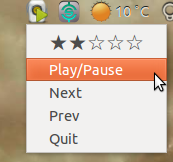
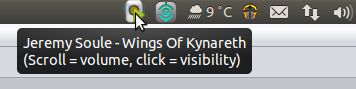
Scroll up and down over the tray icon to adjust Rhythmbox's volume.
Click on the tray icon to show or hide the Rhythmbox window.
The tray icon has a green 'play' overlay when a track is playing.
When you hover over the icon, it shows the playing track:
How to install
To install, run these commands in a terminal window:
wget https://github.com/mendhak/rhythmbox-tray-icon/raw/master/rhythmbox-tray-icon.zip
unzip -u rhythmbox-tray-icon.zip -d ~/.local/share/rhythmbox/plugins
To do it manually, download rhythmbox-tray-icon.zip and extract its contents into ~/.local/share/rhythmbox/plugins.
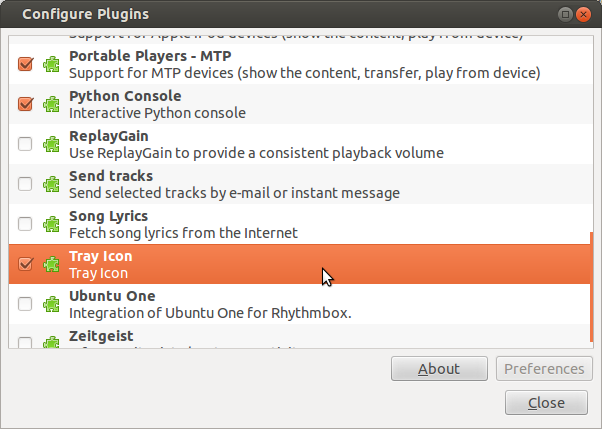
Start Rhythmbox. Go to Edit > Plugins.
Find 'Tray Icon' in the plugins list and enable it. A Rhythmbox icon appears in the notification area.
How to uninstall
To uninstall, run this command in a terminal window:
rm ~/.local/share/rhythmbox/plugins/tray_*.*
It will remove the tray_* files from the plugins folder.
Notes
On Ubuntu, you will need to allow applications in your systray
gsettings set com.canonical.Unity.Panel systray-whitelist "['all']"
Heavily modified from palfrey's original plugin.