 Mendhak
Rhythmbox tray icon plugin
A tray icon to control basic Rhythmbox features. Requires Rhythmbox 2.9+
Tray icon, has a green 'play' when a track is playing.
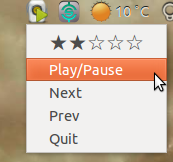
You can rate the track, play/pause, go previous, go next, or quit.
Scroll up and down over the tray icon to adjust the Rhythmbox volume.
Clicking directly on the tray icon will attempt to show the Rhythmbox window.
When you hover over the icon, it shows the playing track:

Install Procedure
Copy this folder into ~/.local/share/rhythmbox/plugins. If you want to be specific, copy all the tray_* files over:
cp /home/mendhak/Code/rhythmbox-tray-icon/tray*.* ~/.local/share/rhythmbox/plugins/
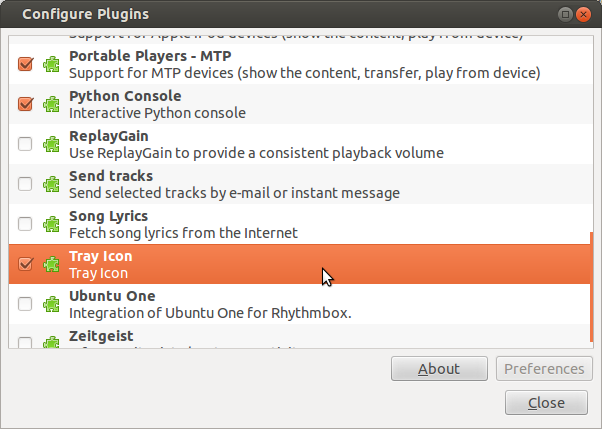
Start Rhythmbox. Go to Edit > Plugins.
Find 'Tray Icon' in the plugins list and enable it. A Rhythmbox icon appears in the notification area.
Uninstall Procedure
To uninstall, remove the tray_* files from the plugins folder.
rm ~/.local/share/rhythmbox/plugins/tray*.*
Notes
No .deb package yet, working on it.
Heavily modified from palfrey's original.